
I replaced $20/day in cloud API costs by running OpenClaw and Hermes on a $1,699 mini PC
Local agents aren’t free—but they might be cheaper than you think.

I was spending $10–$20 a day running OpenClaw and Hermes agents on cloud APIs. That’s $300–$600 a month just to keep my AI workflows running. I knew there had to be a better way.
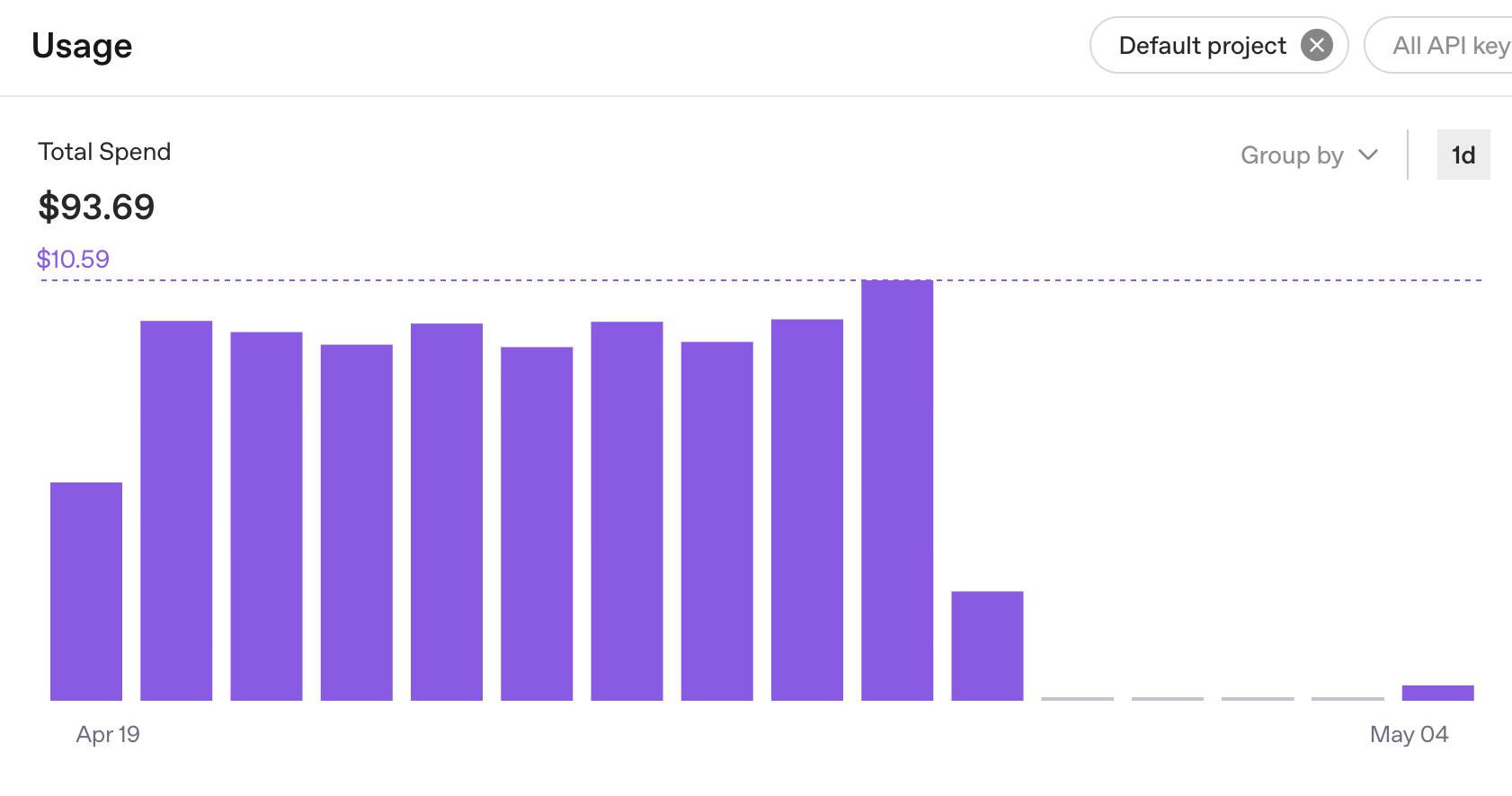
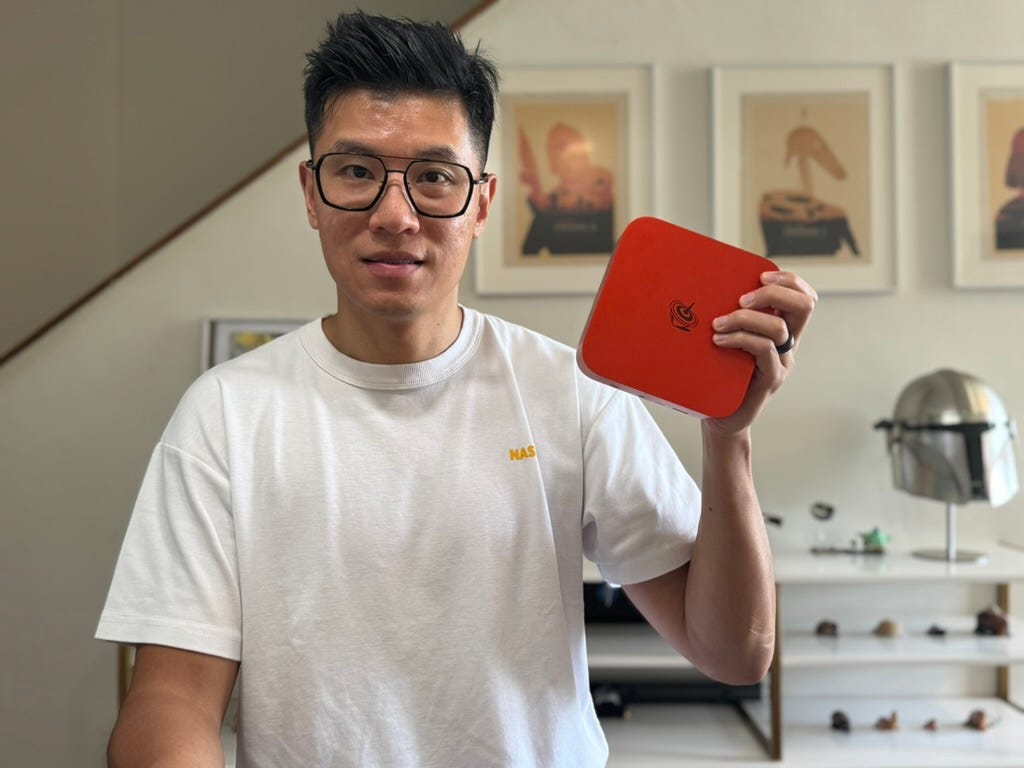
So I got a Beelink SER10 Max OpenClaw Edition and spent weeks figuring out whether local AI is actually worth it—or just a rabbit hole.
Here’s everything I learned.
The Problem
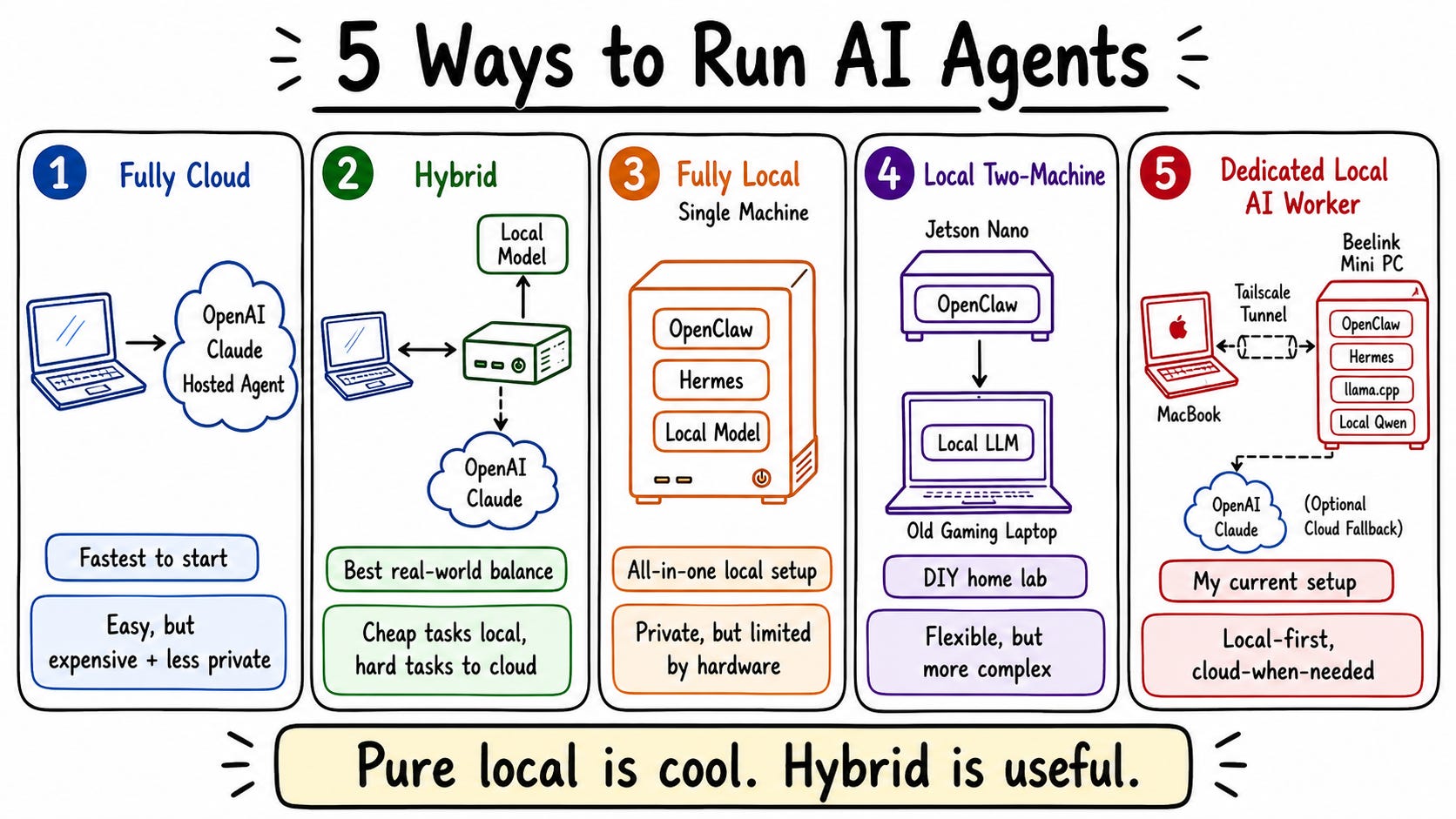
Before this, I had OpenClaw running on a Jetson Nano paired with an old MSI Katana gaming laptop. It crashed constantly. Whenever I ran multiple agents at the same time—especially anything with browser use—it would just restart. Unstable hardware kills agent workflows faster than anything else.
On top of that, I had a real privacy concern. I’m passing API keys, passwords, and personal data through these agent workflows. Sending all of that to cloud APIs made me uncomfortable. But I didn’t have a stable local alternative.
The $20/day was becoming hard to justify when I knew the tasks I was running could theoretically run on hardware I owned.
The Solution
The Beelink SER10 Max came with Ubuntu Linux, llama.cpp pre-installed, and a Qwen 3.5 9B Q4KM GGUF model already downloaded. I had OpenClaw running locally within minutes of unboxing.
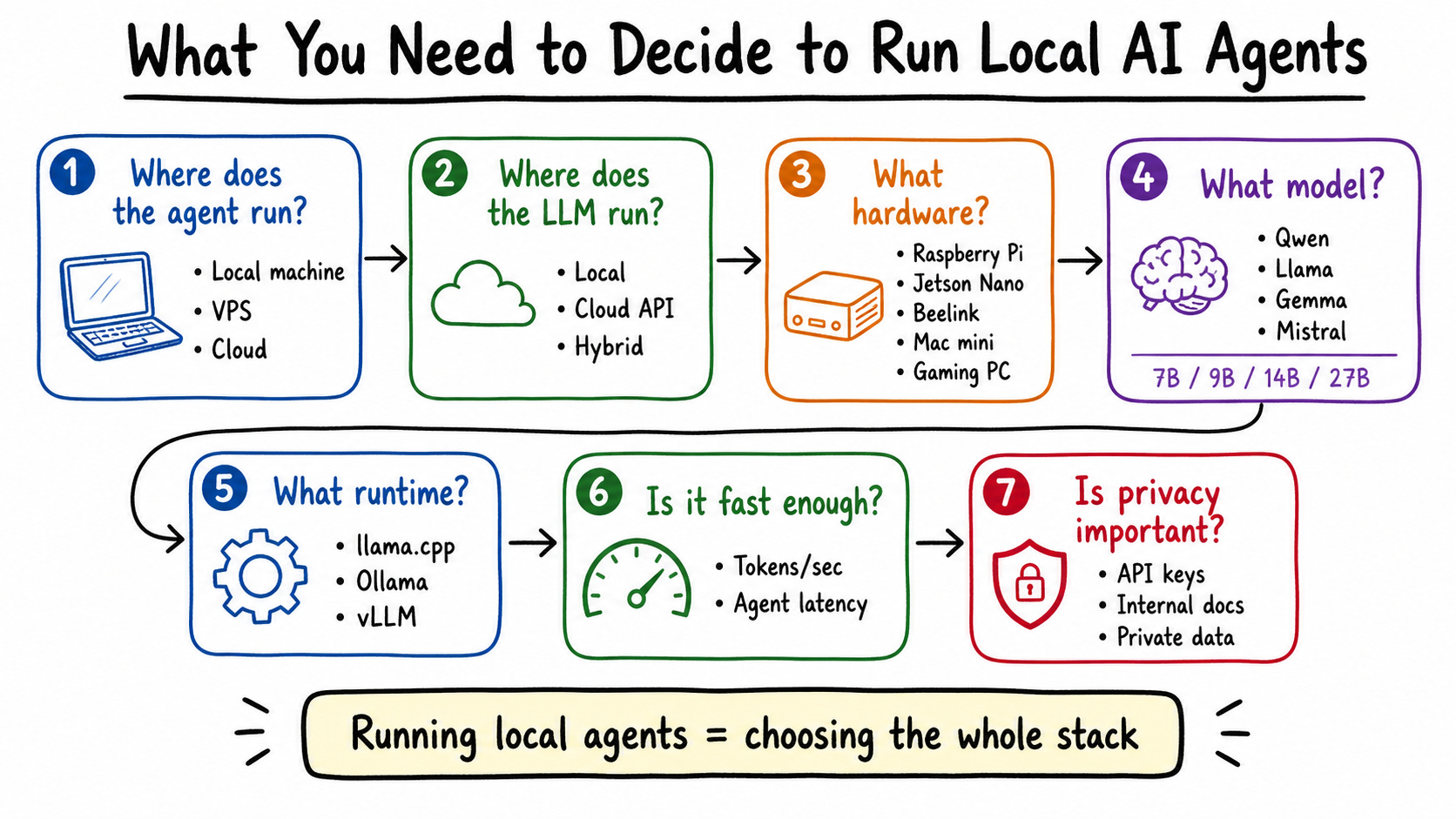
But getting a fully functional setup meant making seven decisions—and most people only think about one or two of them.
First: where does your agent run? OpenClaw and Hermes don’t need powerful hardware. A Raspberry Pi can run them. The real question is where your LLM runs, because that’s what needs compute.
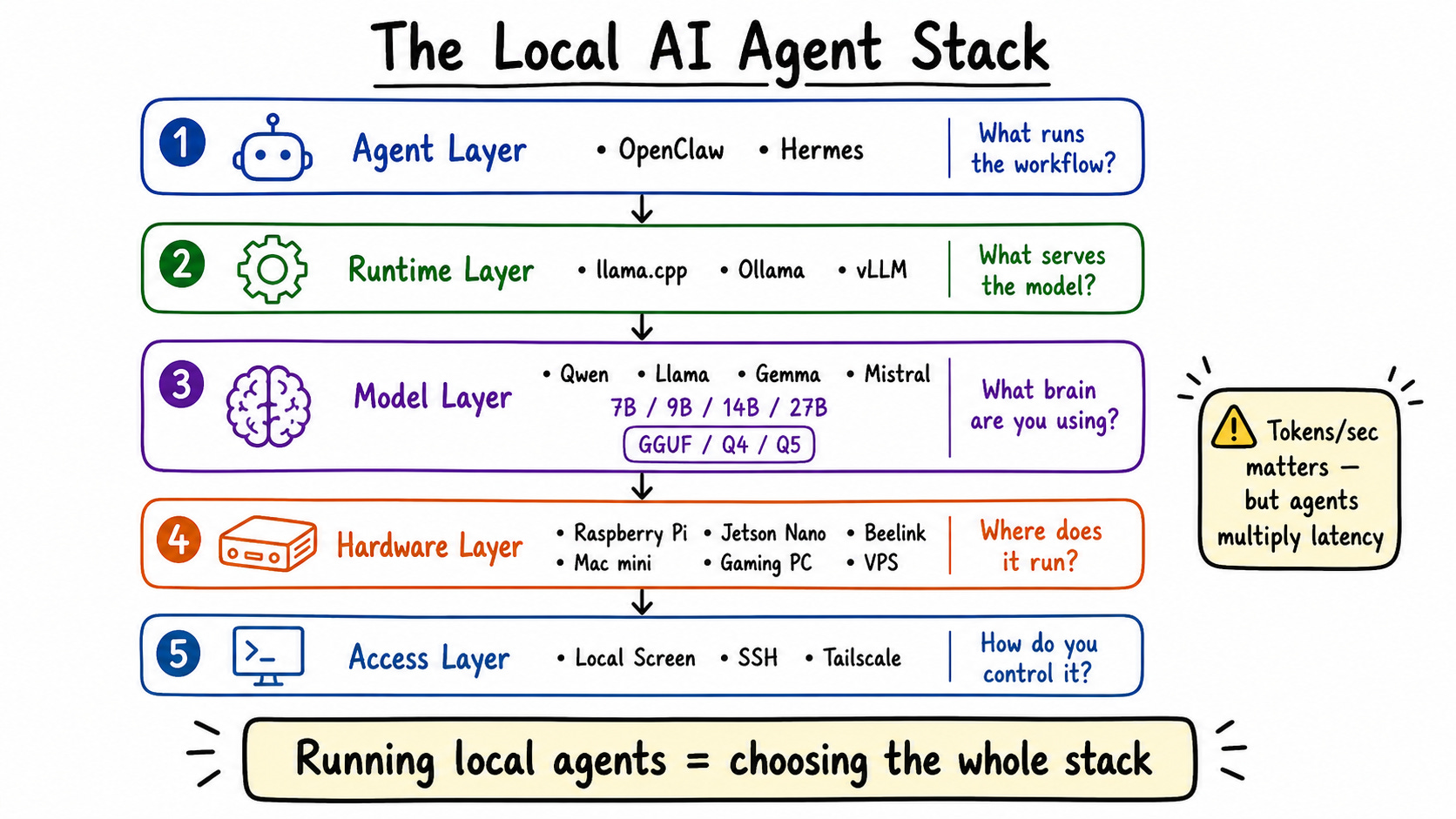
Second: where does the LLM run? You can run it fully local, fully cloud, or hybrid. I use hybrid—simple tasks hit the local Qwen model on my Beelink, and complex tasks with lots of tool calls route to Claude or OpenAI via OpenRouter.
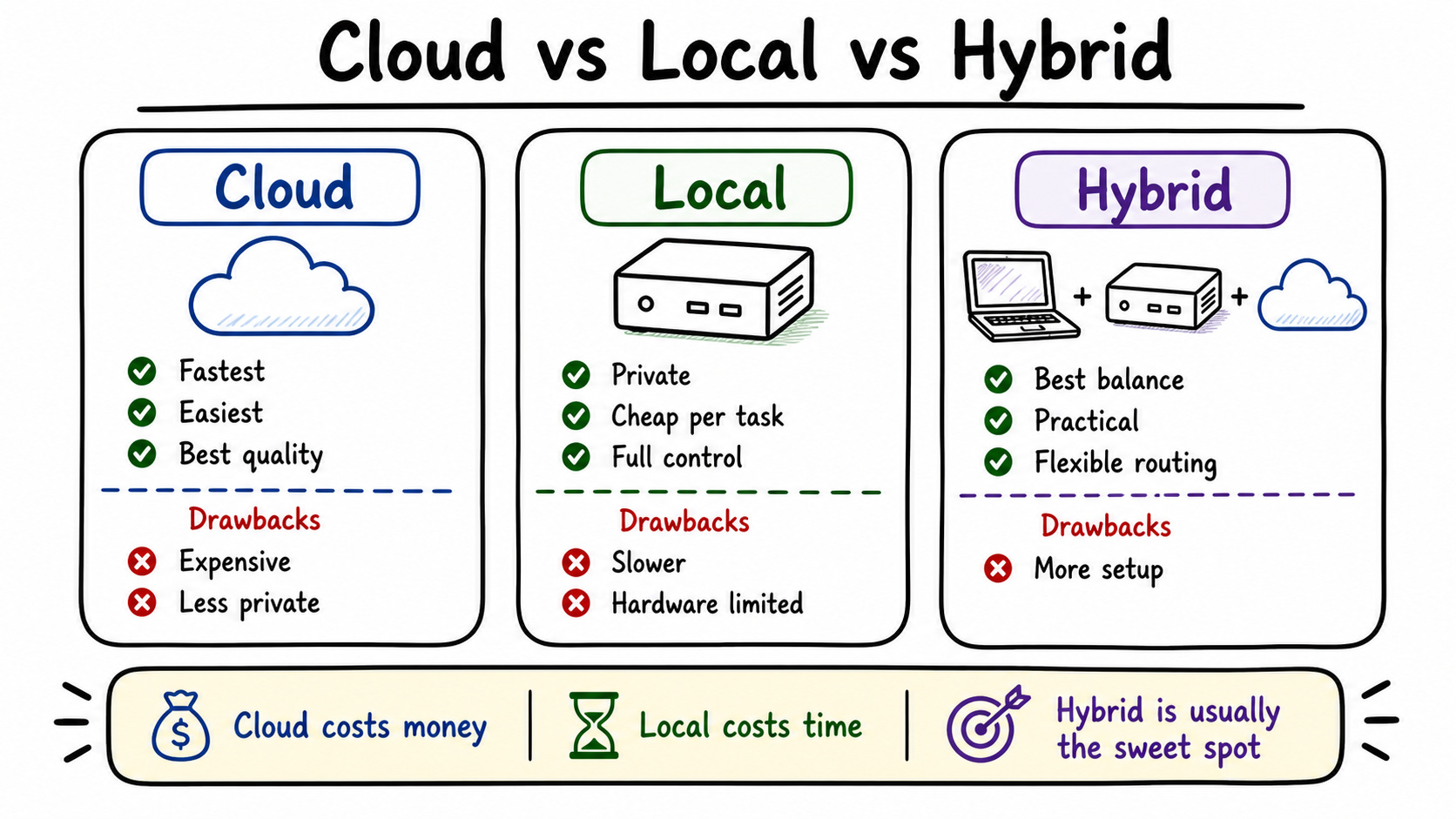
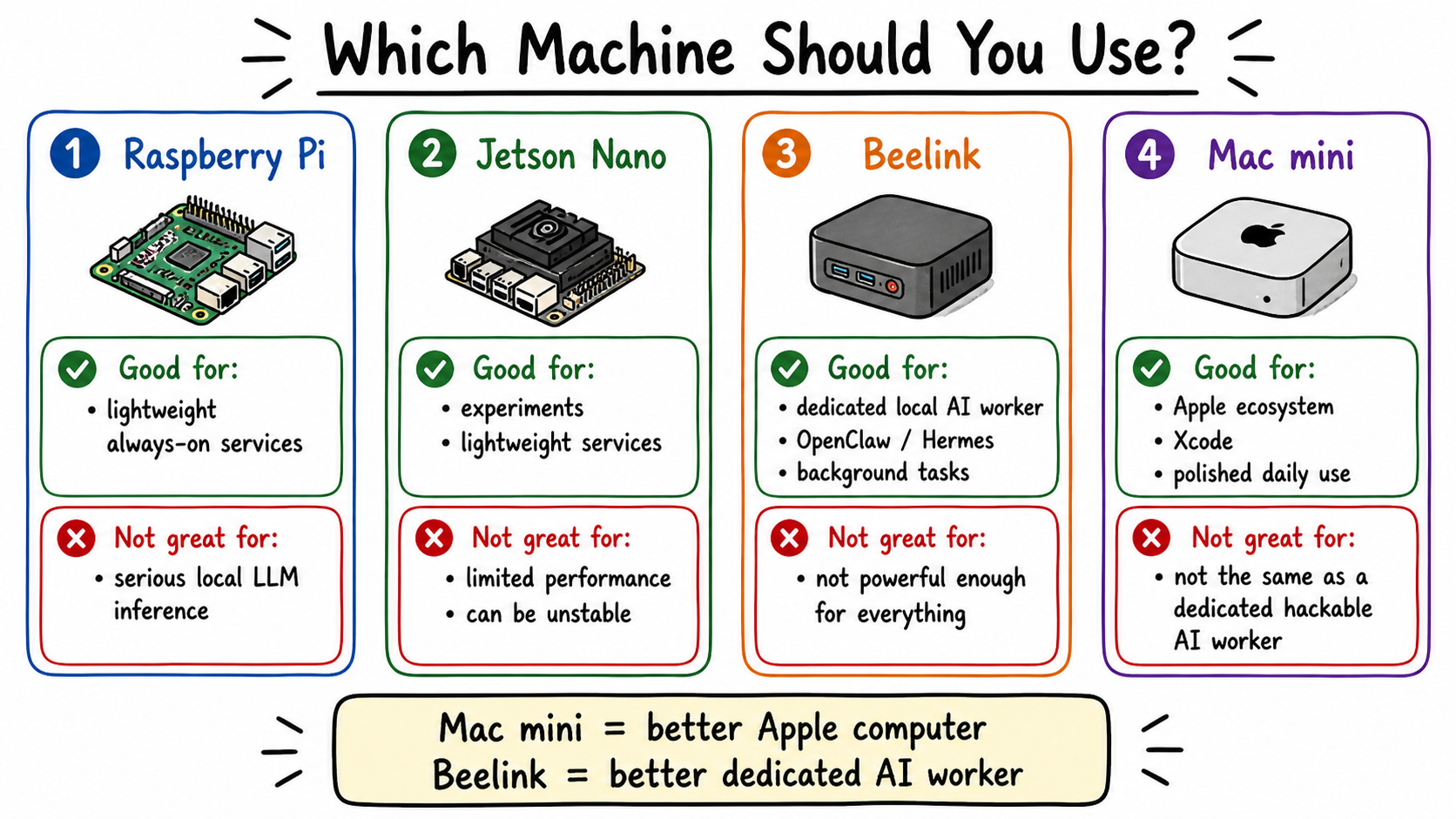
Third: what hardware do you buy? Raspberry Pi and Jetson Nano work but are unstable under load. Mac Mini is great if you’re deep in Apple’s ecosystem. Beelink is more extensible—you can upgrade RAM, swap components. For teams or multiple users, you need a proper GPU server.
Fourth: what model do you run? Don’t ask “what’s the biggest model I can run?” Ask “what’s the fastest model that’s smart enough for the task?” I use Qwen 3.5 9B. Bigger isn’t automatically better for local agents—speed matters as much as capability.
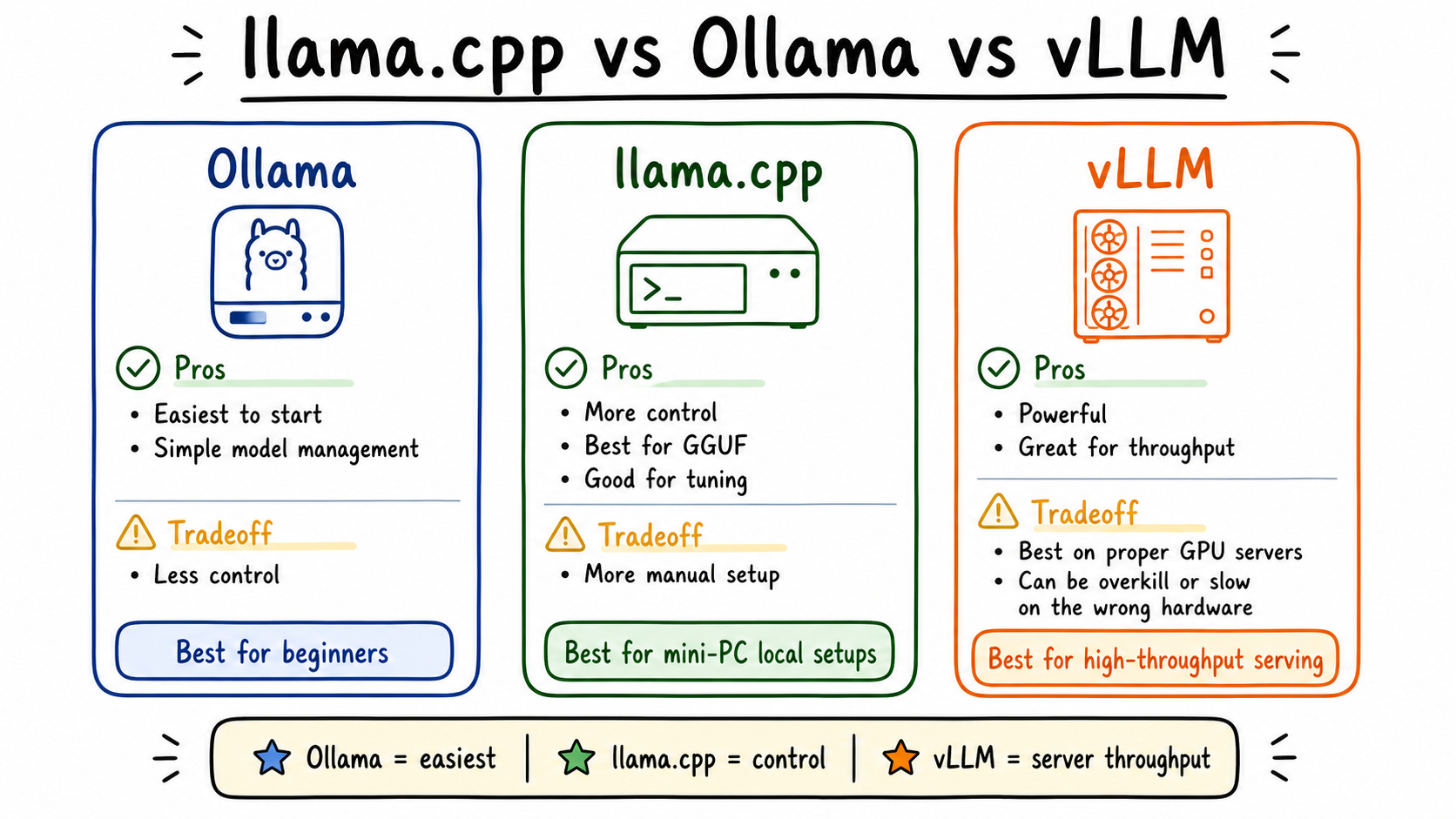
Fifth: what runtime? Ollama is easiest but has overhead. llama.cpp gives you more performance and control—that’s what I landed on for the Beelink. vLLM is powerful but took me hours to configure and my hardware wasn’t strong enough anyway.
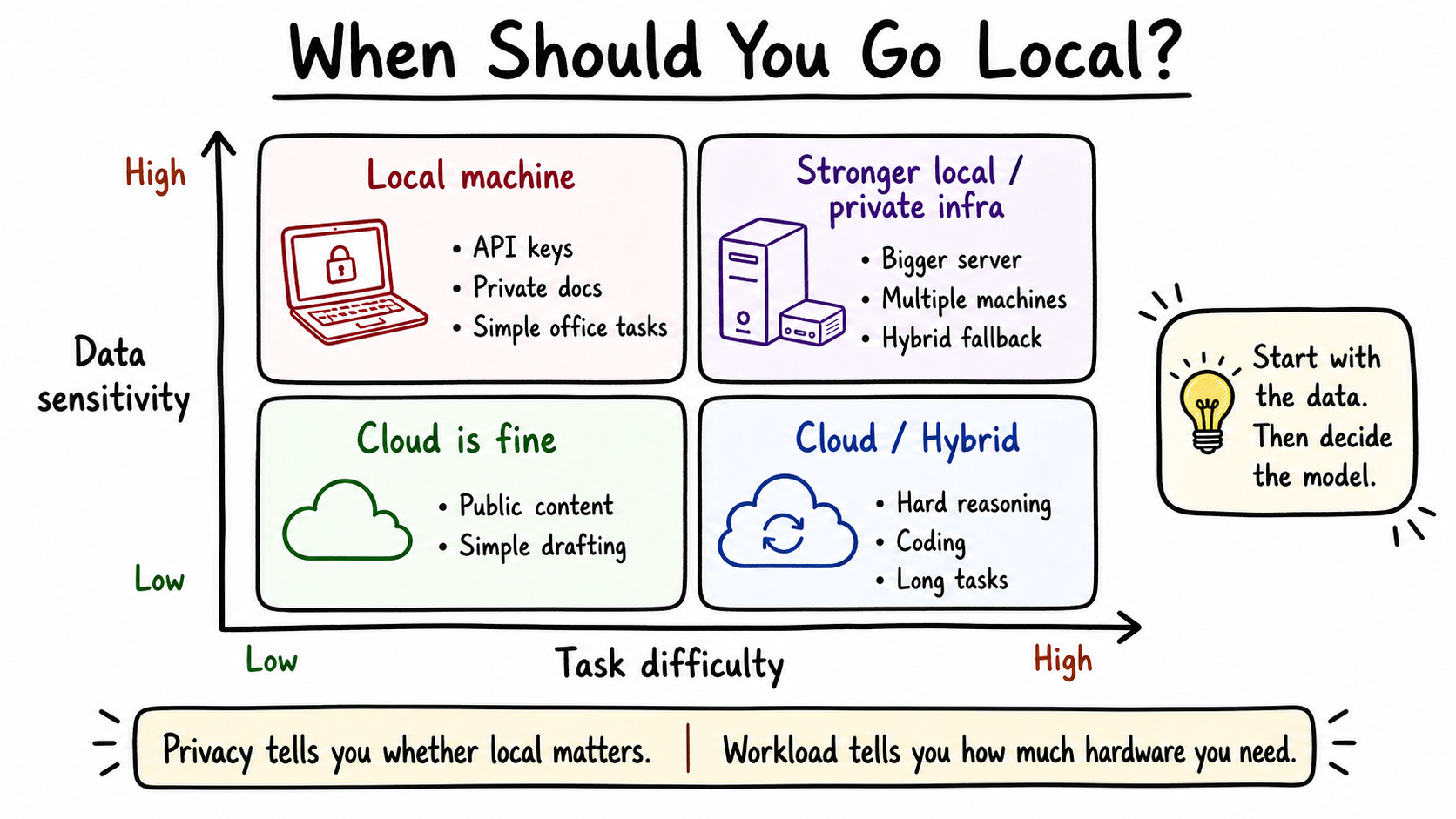
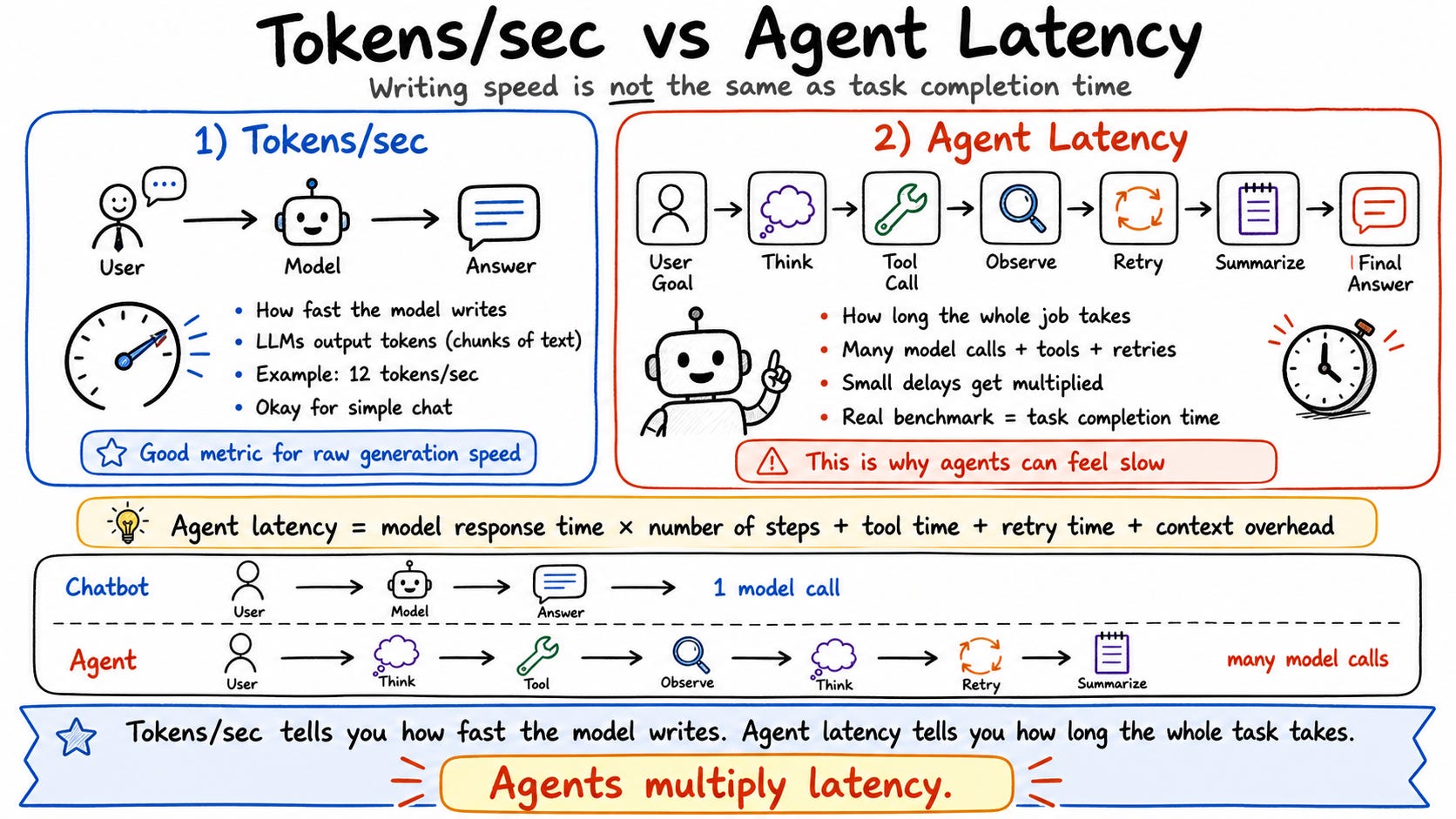
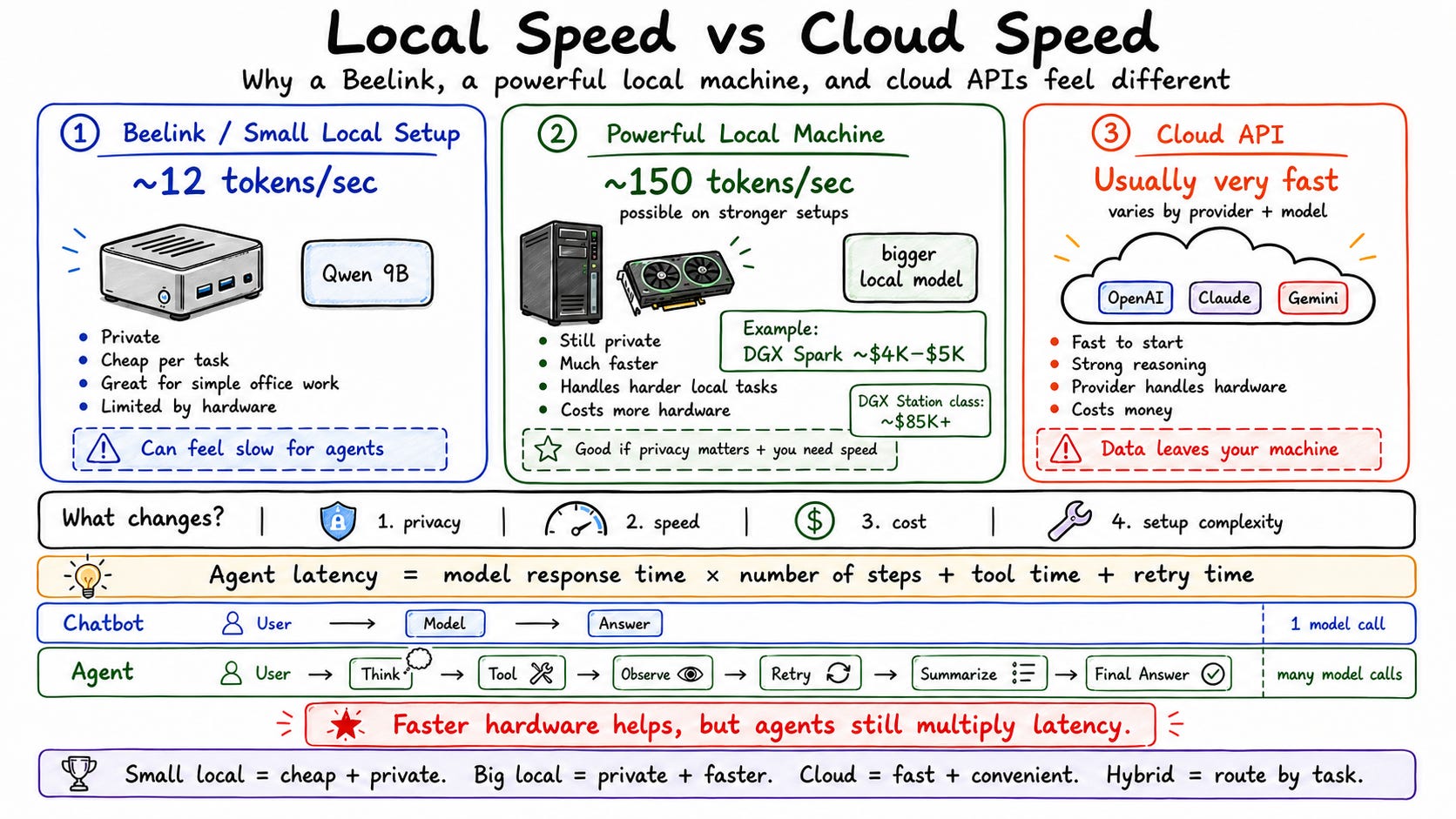
Sixth: is it fast enough? My Beelink hits 12 tokens per second on the 9B model. For simple tasks—drafting posts, summarizing content—that’s fine. For complex multi-tool agent runs, I’ve had tasks take 90 minutes. If you need speed, a DGX Spark ($5,000) hits 70–80 tokens per second. Cloud APIs run 200–500 tokens per second. You have to decide what you’re willing to pay for and wait for.
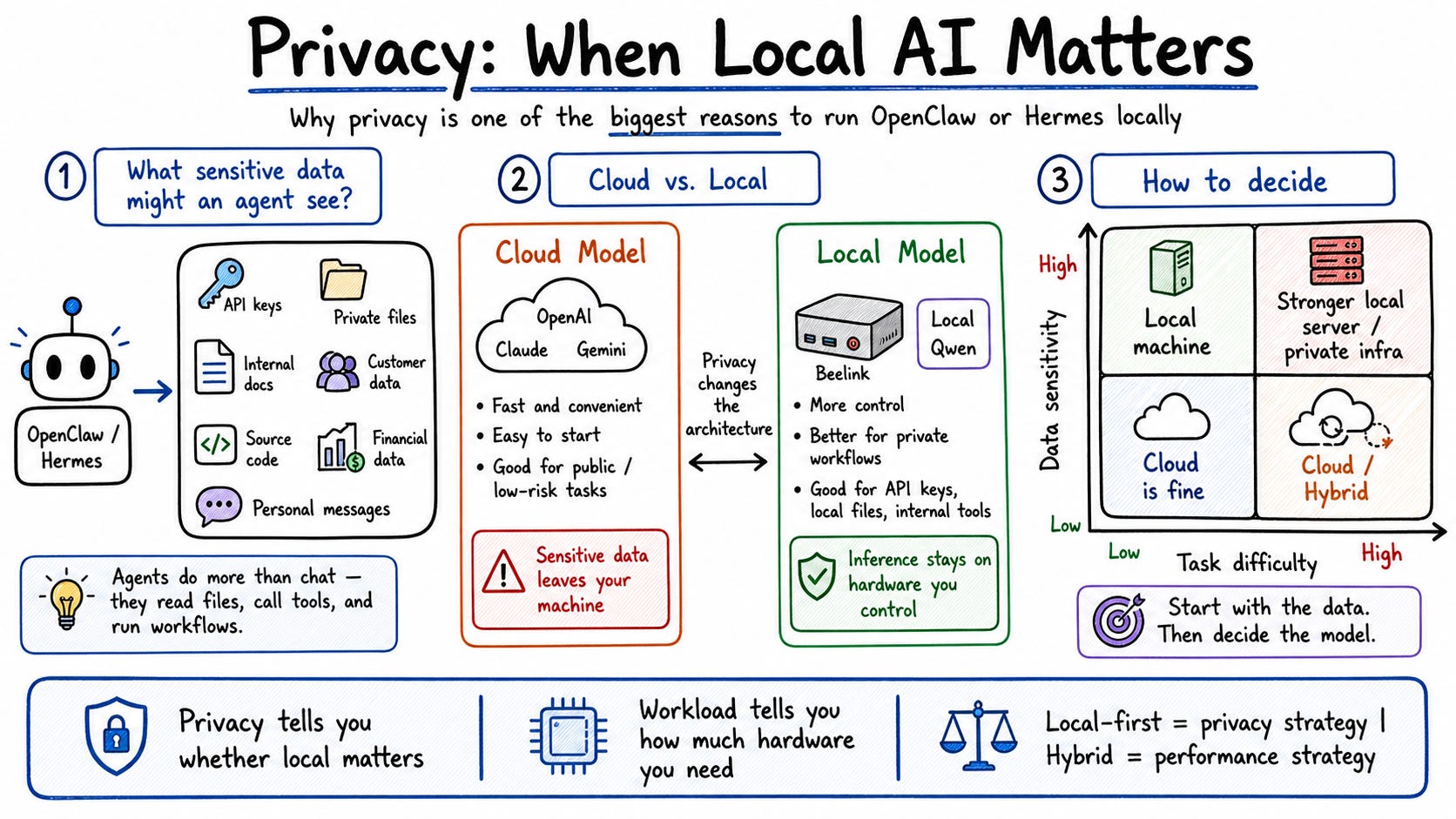
Seventh: does privacy matter? This is the biggest reason to go local. If you’re in a regulated industry, handling customer data, or just uncomfortable sending API keys to third-party APIs—local is the right call. For me, this was the deciding factor.
For connectivity, I set up Tailscale so I can SSH into my Beelink from my MacBook or iPhone anywhere. No port forwarding, no Cloudflare complexity. I just install the software, log in, and I have a private tunnel to my machine. This means I can monitor OpenClaw dashboards, fix issues remotely, and run terminal commands without being physically at the Beelink.
One pro tip I learned the hard way: set both Tailscale and OpenClaw to auto-restart on system reboot using sudo systemctl enable tailscaled and sudo systemctl enable openclaw. If your machine crashes at 3am, you want everything back up automatically.
The Results
Before: $10–$20/day in cloud credits, unstable Jetson Nano setup, constant crashes. After: $0/day for most tasks, 24/7 stable operation, full privacy for sensitive workflows.
My local Qwen 9B model runs at 12 tokens per second. In a head-to-head test turning a tweet into a Threads post, local took 1 minute 39 seconds vs. 58 seconds for Claude Sonnet 4.6. That’s a 41-second difference—slow but not unusable for lightweight tasks.
The hybrid routing is where it gets good. Simple research, writing, and summarization stay on the Beelink—free. Complex coding sessions, long debugging loops, and anything with heavy tool calls go to Codex on their monthly plan. I put $10 into OpenRouter as a fallback and it covers a thousand sub-agent requests. My cloud costs dropped dramatically without sacrificing capability on the tasks that actually need it.
Tools/Resources
Beelink SER10 Max OpenClaw Edition (~$1600 one-time) — runs OpenClaw, Hermes, llama.cpp 24/7
LM Studio (free) — finds the best model for your specific hardware automatically
LLM Fit (free, open source) — estimates tokens per second and memory usage before you download anything
Tailscale (free personal plan, up to 6 users) — private SSH tunnel between all your devices
Termius / Tmux (free) — SSH into your Linux machine from iPhone
OpenRouter ($10 credit) — fallback cloud routing for sub-agents
Ollama (free) — easiest local runtime to get started
llama.cpp (free) — better performance than Ollama once you’re comfortable
Warp.dev (free tier) — AI-assisted terminal for resolving Linux dependency errors during setup
Your Next Steps
Run LLM Fit or LM Studio to see what models your current hardware can actually handle before buying anything new
Pick your bottleneck: if privacy is the issue, go local first; if speed is the issue, stay cloud for now
Set up Tailscale before you do anything else—remote access saves hours of debugging
Configure auto-restart for every service you depend on (
systemctl enable) the day you set it up, not after the first crashStart with a hybrid: route simple tasks local and complex tasks to cloud, then shift the balance as you tune your model
Let’s Talk Local AI
What’s actually stopping you from running agents locally—is it the hardware cost, the setup complexity, or the speed tradeoff? And if you’re already running local, what model are you using and how’s the token speed?
Drop a reply and let me know.
See you next week, Keith
P.S. - The real cost of local AI isn’t the hardware. It’s the hours you’ll spend choosing models, debugging dependencies, and tuning your stack. Budget for that time before you budget for the machine.
Good? Ok? Bad? Hit reply and let me know...