
I managed 42 people. AI does the same work with zero
What a crying intern taught me about why the AI solopreneur wins.

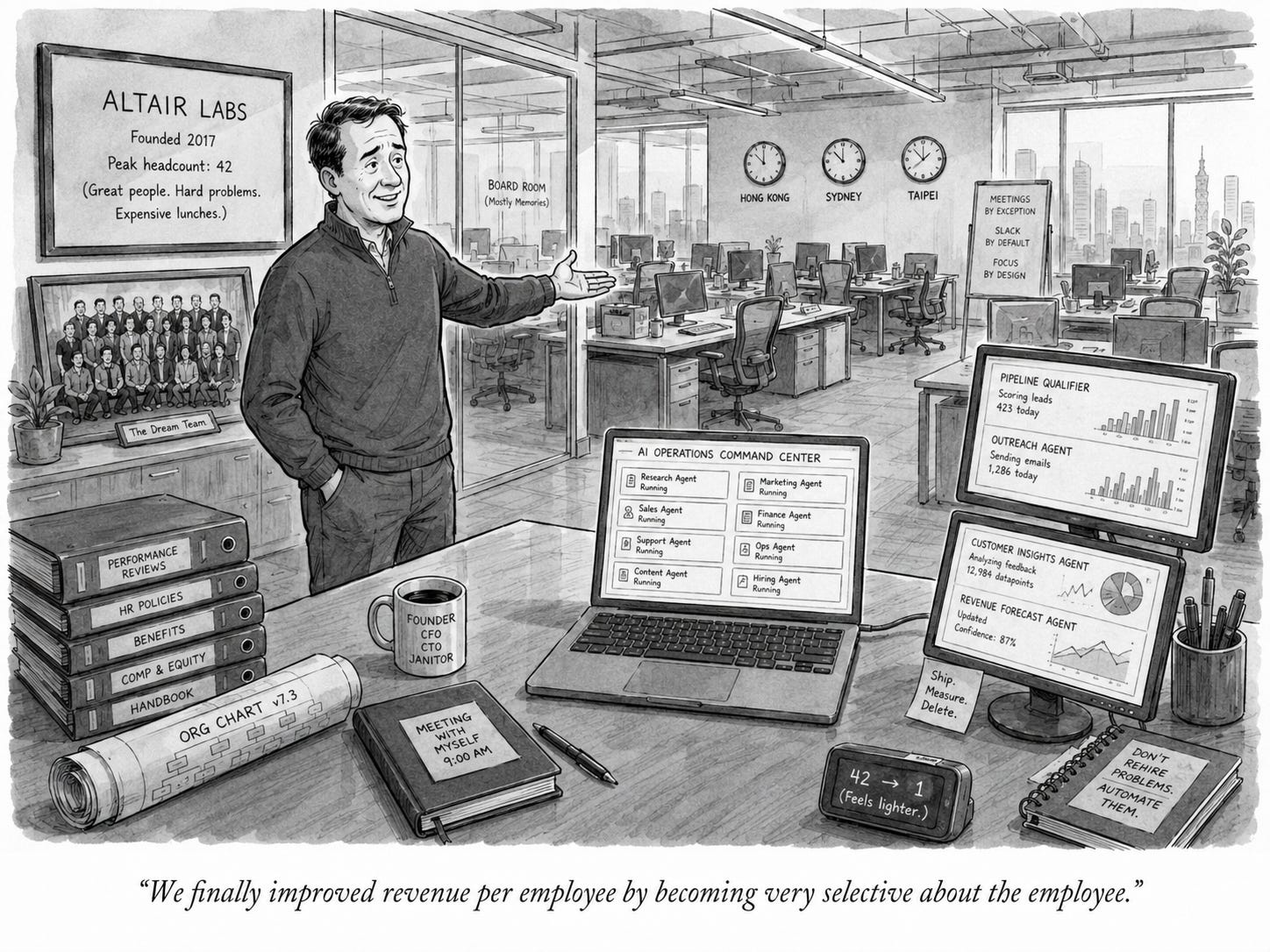
I grew my company to 42 people, with offices in Hong Kong, Australia, and Taiwan. For years I thought that was the scoreboard. A big office. Desks full of people. A headcount you could say out loud and watch someone’s eyebrows go up.
It looked so cool. It mostly sucked.
Here’s what nobody tells you. At 10,000 people, you get to be hands-off. The systems run, and you do strategy from above it all. But the climb from zero to a thousand is a different animal. You work yourself flat just holding it together. Something breaks, you build a system, the system breaks, you build another one. Waste leaks out of every seam. And the part they leave off the conference stage: the job of a real leader is to serve the team. Which means every person’s problem lands on your desk. Someone gets sick. Someone wants a promotion. Someone wants a raise. The queue never empties, and you are the only one who can clear it.
Growing is the fun part. Everybody loves a growth story. Nobody warns you about the other direction.
I once had to fire a fresh graduate. She’d interned with us, earned her spot, and we’d hired her full-time. When I told her, she cried and asked me why. I told her the truth: it wasn’t her fault. I’d made strategic mistakes, and now people had to go. It was on me. I still carry that one.
Here’s what changed everything. With AI, I scale agents up in a minute and put them to work as hard as the job needs. When the work’s done, I shut them down. No tears. No guilt. No one’s mortgage riding on my bad quarter.
And it finally made me see the number I’d ignored for a decade. Company size was never the goal. Size is ego wearing a blazer. The real number is revenue per employee — and you want it as high as humanly possible, which means as few people as possible. For the first time in history, AI makes a $10M company with one person on the payroll genuinely possible. Two years ago that was a joke. Now it’s a plan.
That’s the whole thesis of this series: the AI solopreneur isn’t a smaller dream. It’s the impact of a 42-person company without the human cost of running one.
Next week: the exact stack I run to operate like a team of one.
🔍 Top Finds This Week
Anthropic Frontend Design Skill — Ask AI to build a webpage and it used to spit out the same generic layout every time. This official Anthropic skill teaches Claude your design rules up front, so the UI comes out right on the first prompt. Free, drops into Claude Code (the repo’s past 130,000 stars). You stop re-rolling the same bland output and ship something that actually looks like yours.
Perplexity Bumblebee — Perplexity open-sourced one of its internal security tools. It runs quietly on your machine and scans for risky packages, sketchy browser extensions, and even malicious MCP configs that could leak your data — all read-only, so it never runs the bad code it’s looking for. Free, Apache 2.0. You get a supply-chain watchdog on your laptop without paying for an enterprise scanner.
Removerized — An AI image toolkit that runs 100% in your browser, fully offline. Background removal, upscaling, batch processing — and nothing ever uploads to a server. Models cache locally after the first run, so it’s instant after that. Free and open source live demo. You get clean cutouts and upscales without a subscription or handing your images to anyone.
💡 What’s Interesting
The pattern this week is AI skills going mainstream. Anthropic’s Frontend Design Skill is one of dozens in their public skills repo. Their Claude for Small Business bundle — ready-made workflows for finance, sales, HR, and marketing — pulled ~382,000 downloads on day one. And Hivemind turns every task your agent finishes into a reusable skill that compounds across sessions.
A “skill” is just packaged know-how your AI keeps and reuses, instead of you re-explaining it every time. That’s the shift: you’re not prompting from scratch anymore, you’re assembling a library.
And it matters more for a solopreneur than a team. A team carries its know-how in people’s heads. You carry it in your tools — so every skill you add is leverage that doesn’t quit, doesn’t get sick, and doesn’t need managing. That’s how one person starts to cover the ground of forty.
🚀 Major Releases
Claude for Small Business — Anthropic shipped a full pack of ready-to-run AI workflows for finance, ops, sales, HR, and customer service — reconcile your books, build a 30-day cash forecast, queue overdue reminders, all wired to QuickBooks, Stripe, HubSpot and more. ~382,000 downloads on day one. You drop a back-office team’s worth of workflows into your stack in an afternoon.
Hivemind — A shared “brain” for Claude Code, Codex, Cursor, and more: it captures what your agent figures out and turns repeated patterns into reusable SKILL.md files that propagate to every agent. On the public long-context benchmark it ran 1.7× fewer tokens and 31% fewer turns. Open source. You stop re-explaining your setup every morning — your past work is already in context.
Cal.diy — Cal.com forked their own product, stripped every paid feature, and shipped it under the MIT license. Full scheduling engine, self-hostable, zero per-seat fees. You replace Calendly and stop paying the monthly tax for a booking link.
---
Let’s Talk About This
Have you ever caught yourself bragging about headcount instead of output? If you measured your business by revenue per person tomorrow, what would you stop doing? And the honest one: how much of “we’re scaling” was the work, and how much was the ego?
Drop a reply — I genuinely read every one.
See you next week,
Keith
P.S. — Headcount is the number founders brag about at dinner. Revenue per employee is the number that tells you if you actually built something. Optimize the one you’d never post on LinkedIn.
Good? Ok? Bad? Hit reply and let me know.
Keith my friend, thanks for the content!—I follow you regularly. I’d like to humbly suggest adding a link somewhere in the header of the email to read the content online. I often need to do this with other newsletters I receive since they’re in English; I click the "read online" link and then select "translate to Spanish." With this particular email, however, I only see an "open in app" button, which isn't what I want to do—I'm missing that other option. Thanks a lot!